
Flycut has been the quiet default for developers who wanted a clipboard history and nothing else. It is a fork of Jumpcut, it is free, it stores plain text only, and you cycle through recent clips with ⇧⌘V in a bezel that looks like the volume overlay. It did one thing and stayed out of the way.
The problem is that it stopped being maintained. This guide covers what the state of the project actually is, what to check before you replace it, and what to replace it with.
What happened to Flycut
Flycut's last release is version 1.9.6, dated 22 December 2020, on both the Mac App Store and GitHub. There have been commits since, but no build, and the issue tracker has more than 200 open reports. The ones that matter if you are reading this:
- "Lots of activity but no release in nearly 3 years" (issue #287, August 2023, still open). The project's own users asking for a build.
- "Some functionality is lost on Sonoma (14.0)" (issue #290, October 2023, open). The first macOS version where things started breaking.
- "Got new MacBook Pro M3 Max, Flycut not working!" (issue #295, April 2024, open). Flycut was never compiled for Apple Silicon; it runs under Rosetta, and on some Macs it does not run at all.
- "Can't open Flycut bezel in Sonoma for password fields" (issue #299) and "Hot Key doesn't work" (issue #303, October 2024). Both open.
None of this means Flycut will refuse to launch on every Mac. It means that whether it works is now a matter of luck with your particular macOS version and hardware, and when it stops working there is nobody shipping a fix.
Two things to try before replacing it
If Flycut launches but the bezel does not appear or ⏎ does not paste, the cause is usually one of these.
- Re-grant Accessibility. macOS revokes Accessibility permission for apps after some updates. Open System Settings, then Privacy & Security, then Accessibility. Remove Flycut from the list with the minus button, then add it back and turn it on. Quit and reopen Flycut.
- Check Rosetta. On an Apple Silicon Mac, Flycut needs Rosetta 2. If you have never installed it, run
softwareupdate --install-rosettain Terminal and try again.
If Flycut still misbehaves after both, the remaining fixes are code changes that nobody is releasing.
What to use instead
Flycut users tend to want one of two things: the same minimal buffer, maintained, or the chance to finally have a proper history with search.
Maccy: the closest match, free
Maccy is the nearest maintained equivalent. It is free and open source, keyboard-first, and its popup opens with a shortcut you choose and filters as you type. Unlike Flycut it has search, keeps images as well as text, and is actively maintained. It requires macOS 14 or later. If Flycut was exactly enough for you, Maccy is the replacement.
SnipVault: if you want more than a buffer
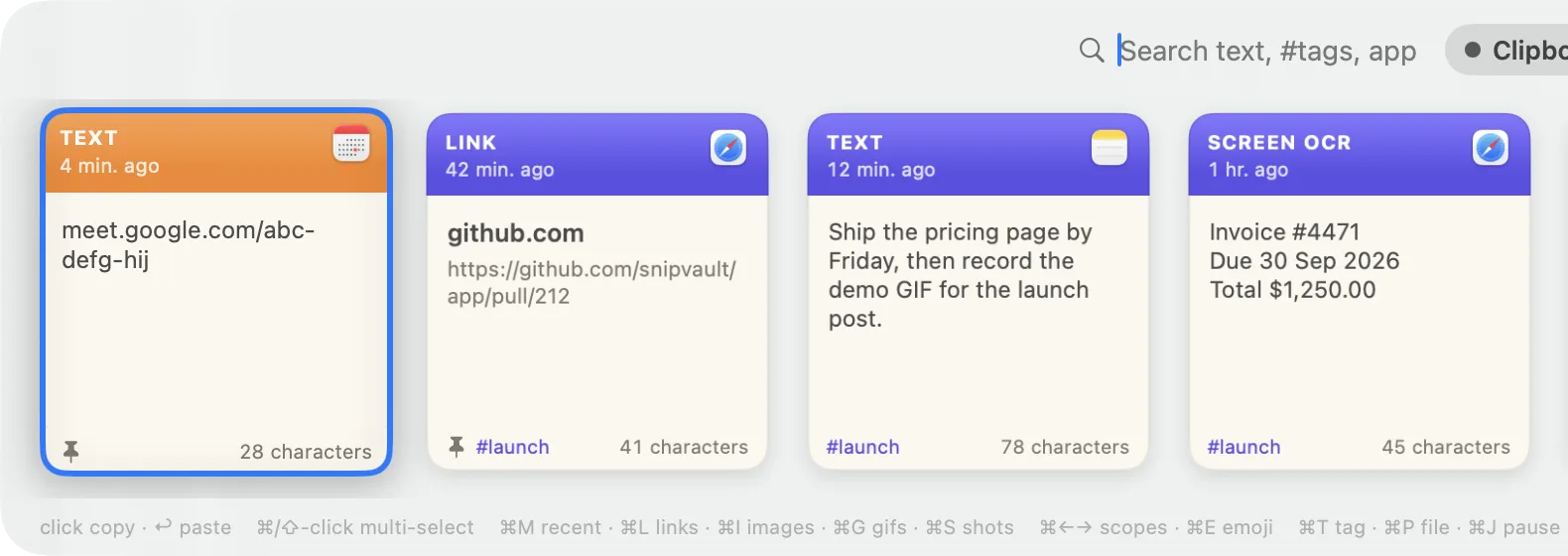
SnipVault is the clipboard manager we make. It keeps the keyboard-first speed that made Flycut worth using, and adds the things a buffer cannot do:
- Everything you copy, not just text: links with titles, images, files, colours, GIFs.
- Full-text search across an unlimited history, so the thing you copied last week is one word away.
- ⌘1 to ⌘9 to paste a recent clip without opening anything, which is the Flycut habit most people miss.
- Screenshot OCR with ⇧⌘2, snippets that expand from a
:keyword, pinboards and tags. - Passwords and one-time codes handled properly: password managers are ignored, concealed content is never stored, and copied codes expire after 60 seconds. Flycut has no equivalent.
It runs on macOS 13 Ventura or later, on Apple Silicon and Intel, and has a 7-day free trial. See the full SnipVault vs Flycut comparison.
Paste: if you want a visual history
Paste is the polished, subscription-priced option with a large visual shelf of your clips. It is the opposite of Flycut's minimalism, but it is well maintained and syncs to iPhone. Our SnipVault vs Paste page covers the trade-offs.
Moving your clippings
Flycut stores its history in a preferences file, not in a format the other apps import. In practice nobody migrates a clipboard buffer: the useful clips are the recent ones, and they will be in the new app within a day. If there are a handful of clips you rely on, paste them into a note first, then in the new app save them as pinned items or snippets.
No. The last release was version 1.9.6 in December 2020. The GitHub repository has commits after that but no builds, and issues reporting problems on Sonoma, Sequoia, Tahoe, and Apple Silicon Macs remain open without a fix.
Not reliably. Users report the bezel failing to appear, hotkeys not registering, and the app not running on newer Apple Silicon Macs. Re-granting Accessibility permission fixes some cases; there is no fix for the rest.
Only through Rosetta 2, since it was never built for Apple Silicon. Some M-series users report it working after installing Rosetta; others report it not working at all.
Maccy. It is free, open source, keyboard-first, maintained, and adds search and image support. It requires macOS 14 or later.
Flycut is a fork of Jumpcut, the original open-source clipboard buffer for the Mac, created when Jumpcut's development stalled in the early 2010s. Flycut kept the same bezel interface and plain-text design.