
Search for CopyClip on the Mac App Store and you get two results from the same developer, FIPLAB: CopyClip - Clipboard History, the free original from 2013, and CopyClip 2 - Clipboard Manager, the paid successor from 2015. Most of the confusion around "is CopyClip abandoned" comes from mixing the two up. This guide explains both, what CopyClip 2 actually does, and where it runs out.
The two CopyClips
CopyClip (original). Released in 2013, free, and still downloadable from its App Store listing. FIPLAB no longer promotes it; the company's site only mentions CopyClip 2. Treat it as legacy software: it works on the Macs it works on, and there is no reason to install it fresh in 2026.
CopyClip 2. The current product. Version 3.993 was released in June 2026, so it is maintained. It costs $7.99 one-time on the Mac App Store, requires macOS 11.5 or later, and FIPLAB offers a trial download on its own site.
What CopyClip 2 does
CopyClip 2 is a menu-bar clipboard history for text. Everything you copy that is text lands in a list under the menu-bar icon, and you get it back by clicking or with a shortcut.
- Keeps up to 9,999 text clippings.
- Search that filters the list as you type.
- ⌘1 to ⌘9 and ⌘0 to paste recent clippings without opening the list.
- Pin a clipping to the top with ⇧⌘P so it does not scroll away.
- Paste with the original formatting or as plain text.
- Exclude specific apps from being recorded, and skip password fields automatically.
- Edit, rename, delete, or bulk-clear clippings. Ten themes.
For $7.99 that is a fair set. It is native AppKit, not Electron, and it does what its name says.
Where it stops
Three limits decide whether CopyClip 2 is enough for you.
Text only. CopyClip 2 does not record images, files, colours, or GIFs. Copy a screenshot, a file in the Finder, or a hex colour from a design tool and nothing is kept. If your clipboard is mostly prose and code, this will not bother you; if you copy images at all, it will.
9,999 clippings. Generous for a text buffer, and most people never hit it. If you do, older clippings are discarded.
No OCR, no snippets, no sync. CopyClip 2 is a clipboard history and nothing else. There is no way to read text off a screenshot, no keyword expansion, no organisation beyond pinning, and no sync between Macs.
The complaints in its App Store reviews are about reliability rather than features. One reviewer in May 2023 wrote that "it frequently misses copies when copying multiple entries in a row" and that "the enter key doesn't select on the ctrl space history". Those reviews are three years old and the app has been updated many times since, but it is the pattern to watch for: a clipboard manager that occasionally misses a copy is worse than one that is missing a feature, because you only find out when you need the clip.
What to use when you outgrow it
If CopyClip 2 is enough, keep it. If one of the limits above is biting, these are the moves.
Maccy: free, and keeps images
Maccy is free, open source, and keyboard-first like CopyClip, and it stores images as well as text. It has pinning and search, no boards or tags, and needs macOS 14 or later. It is the obvious step up if the text-only limit is your only complaint.
SnipVault: everything you copy, plus OCR and snippets
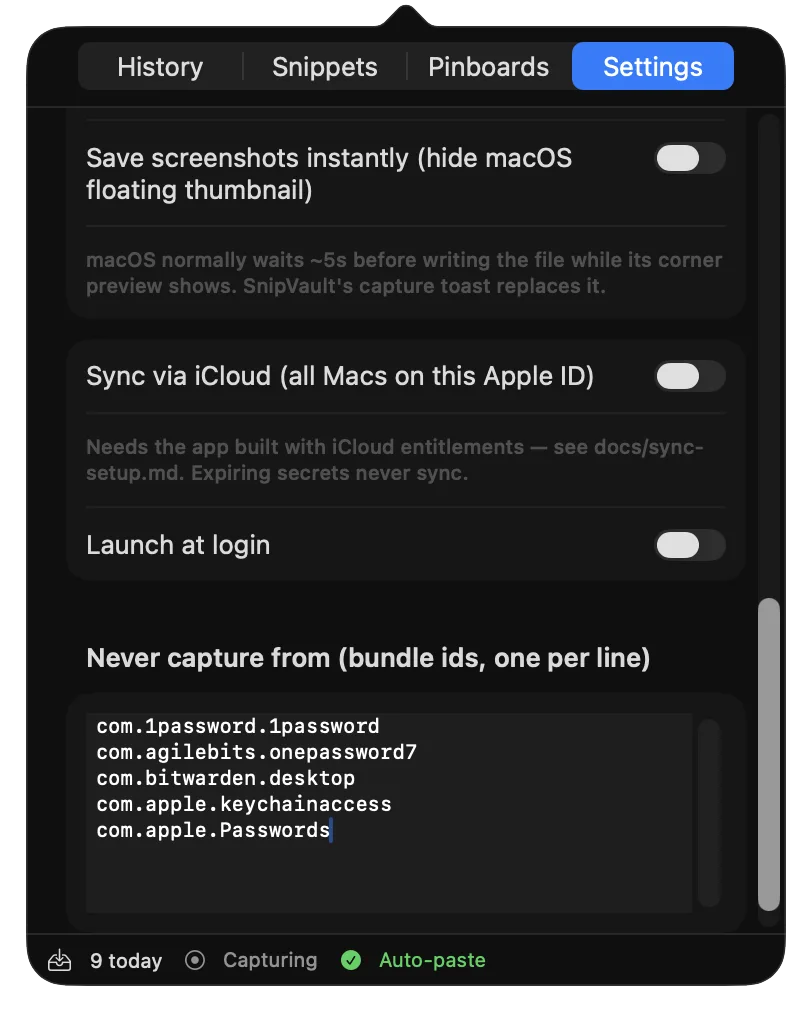
SnipVault is the clipboard manager we make. It keeps the parts of CopyClip that work, including ⌘1 to ⌘9 quick paste, pinning, per-app exclusion, and password-field skipping, and removes each of the limits:
- Text, links, images, files, colours, and GIFs, with an unlimited, full-text-searchable history.
- Screenshot OCR with ⇧⌘2: drag over any region and the text is on your clipboard, with the image kept in the vault.
- Snippets that expand from a
:keywordin any app, with placeholders for the date and the clipboard. - Nested pinboards, tags, and a paste stack for filling forms.
- Copied one-time codes and card numbers expire after 60 seconds; password managers are ignored by default.
It runs on macOS 13 Ventura or later, on Apple Silicon and Intel, and has a 7-day free trial with every feature. See the full SnipVault vs CopyClip comparison.
Paste: visual, subscription, syncs to iPhone
If you want a large visual shelf of clips and an iPhone app, Paste is the polished option, priced as a subscription. Our SnipVault vs Paste page covers it.
No. CopyClip 2 was updated in June 2026 and is sold on the Mac App Store for $7.99. The original free CopyClip from 2013 is a separate listing that FIPLAB no longer promotes.
No. CopyClip 2 records text clippings only. Copied images, files, and colours are not stored. Maccy and SnipVault both keep images.
Up to 9,999 text clippings. Older clippings are discarded once the limit is reached.
CopyClip 2 requires macOS 11.5 or later and its June 2026 update is current for Tahoe. The original 2013 CopyClip is untested on recent macOS versions and should not be installed fresh.
Maccy if you want a free text-and-image history. SnipVault if you also want screenshot OCR, snippets, and organisation, with everything included for $29.99 a year or $79 once.