
You copied a password, a card number, or a two-factor code, and now it is sitting on your clipboard waiting to be pasted into the wrong window. Here is how to clear it, on any version of macOS, and how to set things up so you rarely need to.
Why does clearing the clipboard matter?
Any app you are using can read the clipboard. That is how paste works, and it is also why a copied password is the most exposed secret on your Mac until you overwrite it. Screen sharing, a stray ⌘V in a chat window, and Universal Clipboard pushing the item to your iPad all widen the exposure.
On macOS 26 Tahoe, the new Spotlight clipboard history keeps copies for up to seven days, so a code you copied on Monday can still be in a list on Friday. That is worth knowing before you copy anything sensitive.
1. Copy something harmless
The clipboard holds one item. Copy any innocuous word and the secret is overwritten. Select a word on this page and press ⌘C. Done.
This clears the current item only. On Tahoe, the previous item still exists in Spotlight's clipboard history until it ages out or you delete it.
2. Clear the clipboard from Terminal
For a truly empty clipboard rather than a replaced one:
pbcopy < /dev/null
Open Terminal, paste that line, and press ⏎. The clipboard is now empty; ⌘V pastes nothing. If you do this often, save it as a Shortcut with a hotkey, or make an alias in your shell profile:
alias clearclip='pbcopy < /dev/null'
3. Clear Spotlight's clipboard history on macOS Tahoe
- Press ⌘Space, then ⌘4 to open the Clipboard tab.
- Select an item and delete it from the list, or use the option to clear the whole history.
To stop the history being kept at all, open System Settings, click Spotlight, and turn off Results from Clipboard, or set the retention to 30 minutes so items disappear on their own.

4. Clear history in your clipboard manager
If you run a clipboard manager, the copy is also in its database. Every manager has a delete-item action and a clear-all action; find them before you need them. In SnipVault, select a card in the palette and press ⌫ to delete it, or clear everything from Settings.
How do you keep secrets out of the clipboard history?
Clearing is the fallback. The better setup is one where secrets never linger:
- Let your password manager clear itself. 1Password, Bitwarden, and Apple Passwords can clear the clipboard automatically a short time after you copy a password. Turn that on.
- Use autofill instead of copy and paste. A password filled by the browser extension never touches the clipboard.
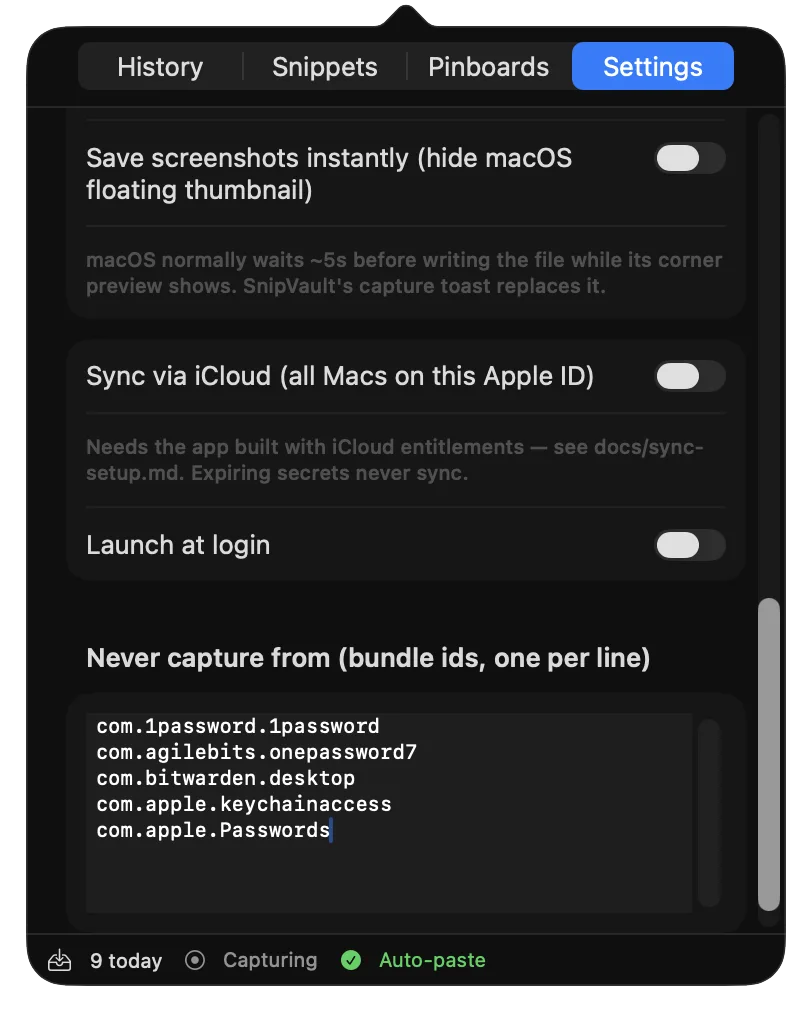
- Pick a clipboard manager that expires secrets. SnipVault ignores password managers by default, never stores content that apps mark as concealed, and automatically expires copied one-time codes and card numbers from its vault after 60 seconds. You get the code into the login form, and a minute later it is gone.
- Pause capture when you need to. Before copying something you never want recorded, press ⌘J in the SnipVault palette to pause capture, and again to resume.
- Turn off Universal Clipboard if you do not use it. In System Settings, General, AirDrop & Handoff, turn off Handoff. Copied items then stay on the Mac.
Copy anything else to overwrite it, or run pbcopy < /dev/null in Terminal to empty it completely. On macOS 26 Tahoe also clear Spotlight's clipboard history with ⌘Space then ⌘4.
Not built in. Create a Shortcut that runs the Terminal command above and assign it a hotkey in the Shortcuts app.
Yes, the current clipboard item is lost on restart. Spotlight's clipboard history on Tahoe and any clipboard manager's history are stored on disk and survive a restart.
Open the Finder, click Edit in the menu bar, then Show Clipboard. On Tahoe, ⌘Space then ⌘4 shows recent items.
Good ones do not. Look for an app that ignores password managers and concealed content, and ideally one that auto-expires one-time codes, as SnipVault does after 60 seconds.